Every way customers pay
Card, invoice, check, eCheck and offline payments, with partial payments, refunds and returns tracked on the order.
CardInvoiceCheckeCheckOffline
Net total$207.52
Paid · eCheck$150.00
Amount due$57.52
Case study · E-commerce operations
A custom CRM and order management portal we built for GovBuddy, a multi-brand US company selling physical and digital products. Orders from every storefront arrive in one place, and the team handles tax, payments, subscriptions, accounting and reporting from there.
The problem
Each brand and storefront had its own admin. Finding an order, or seeing total sales, meant checking several systems.
Sales tax and accounting entries were keyed in manually, store by store, so the same sale was typed more than once.
Invoices, checks and renewals lived in inboxes and spreadsheets, away from the orders they belonged to.
The real product
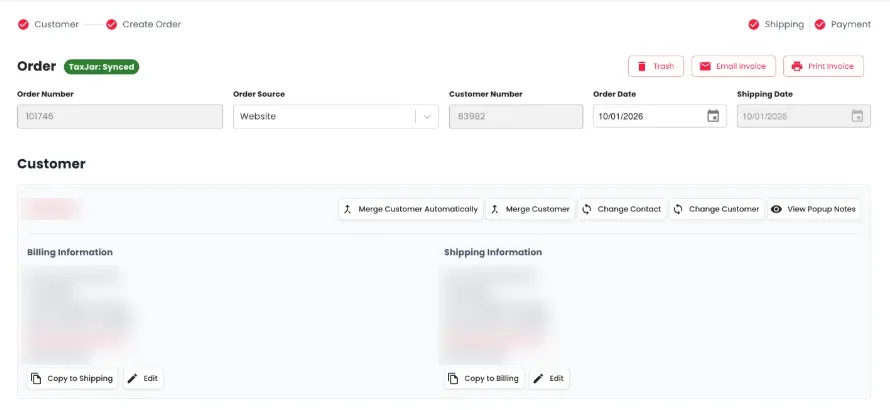
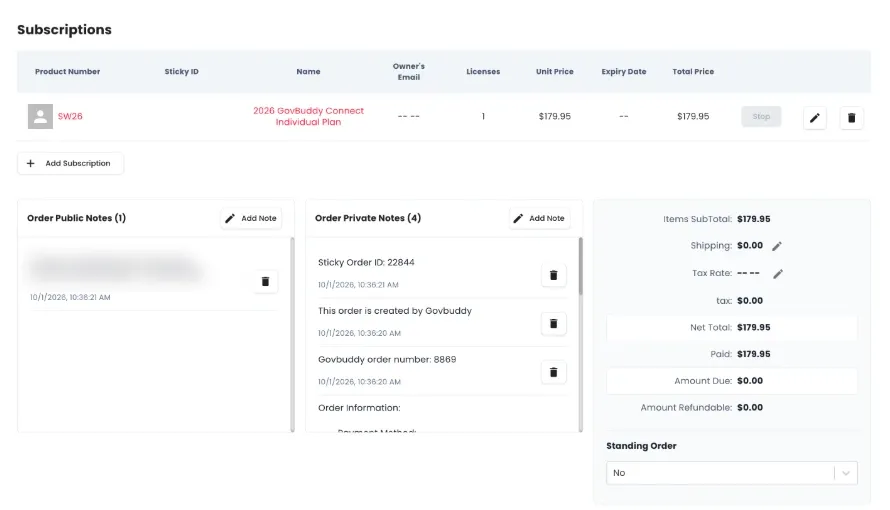
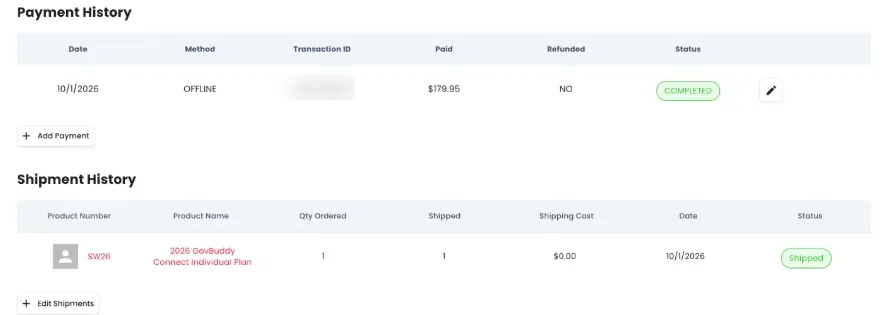
These are real screens. Customer names, emails, addresses and transaction IDs are blurred.
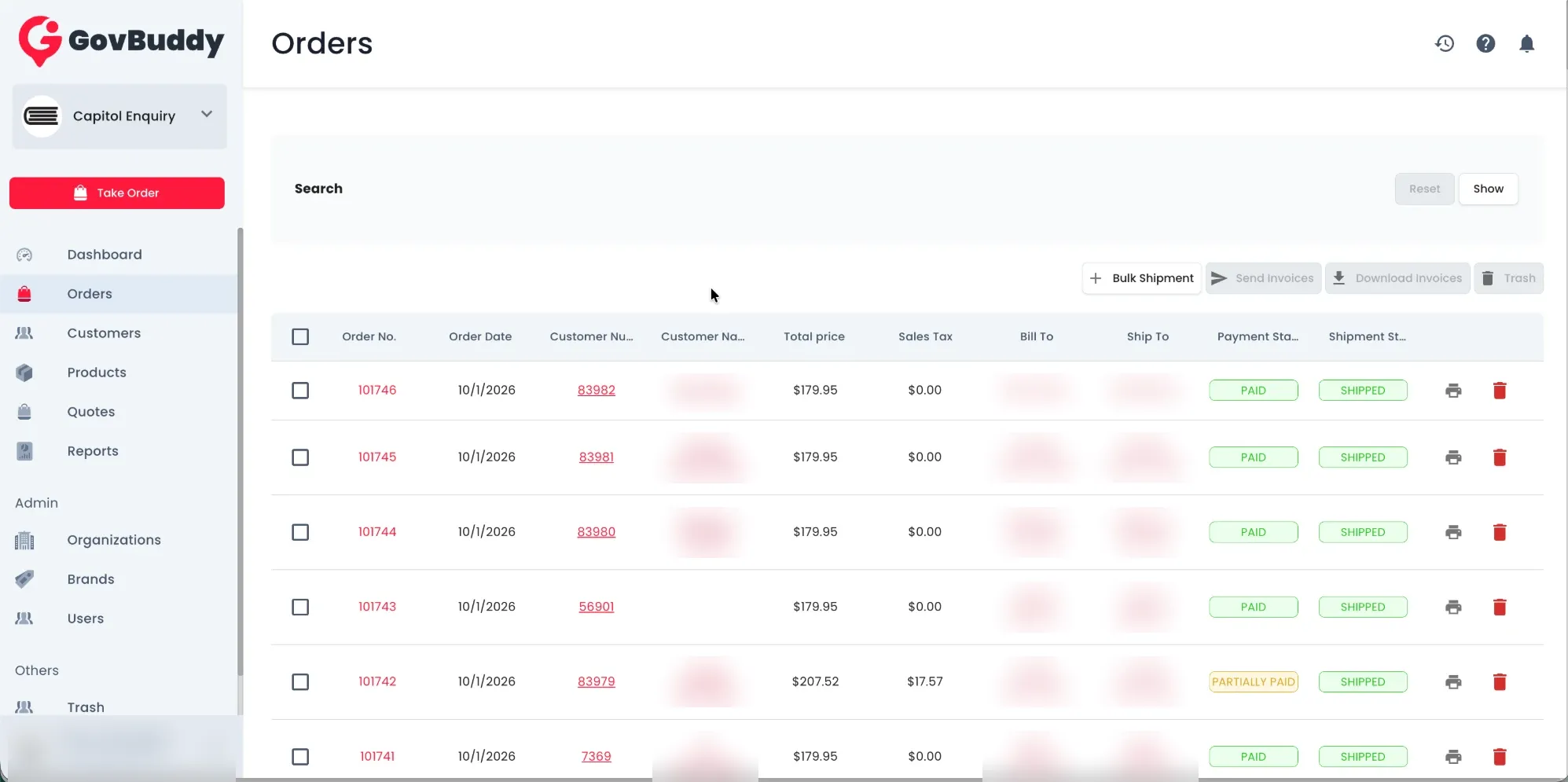
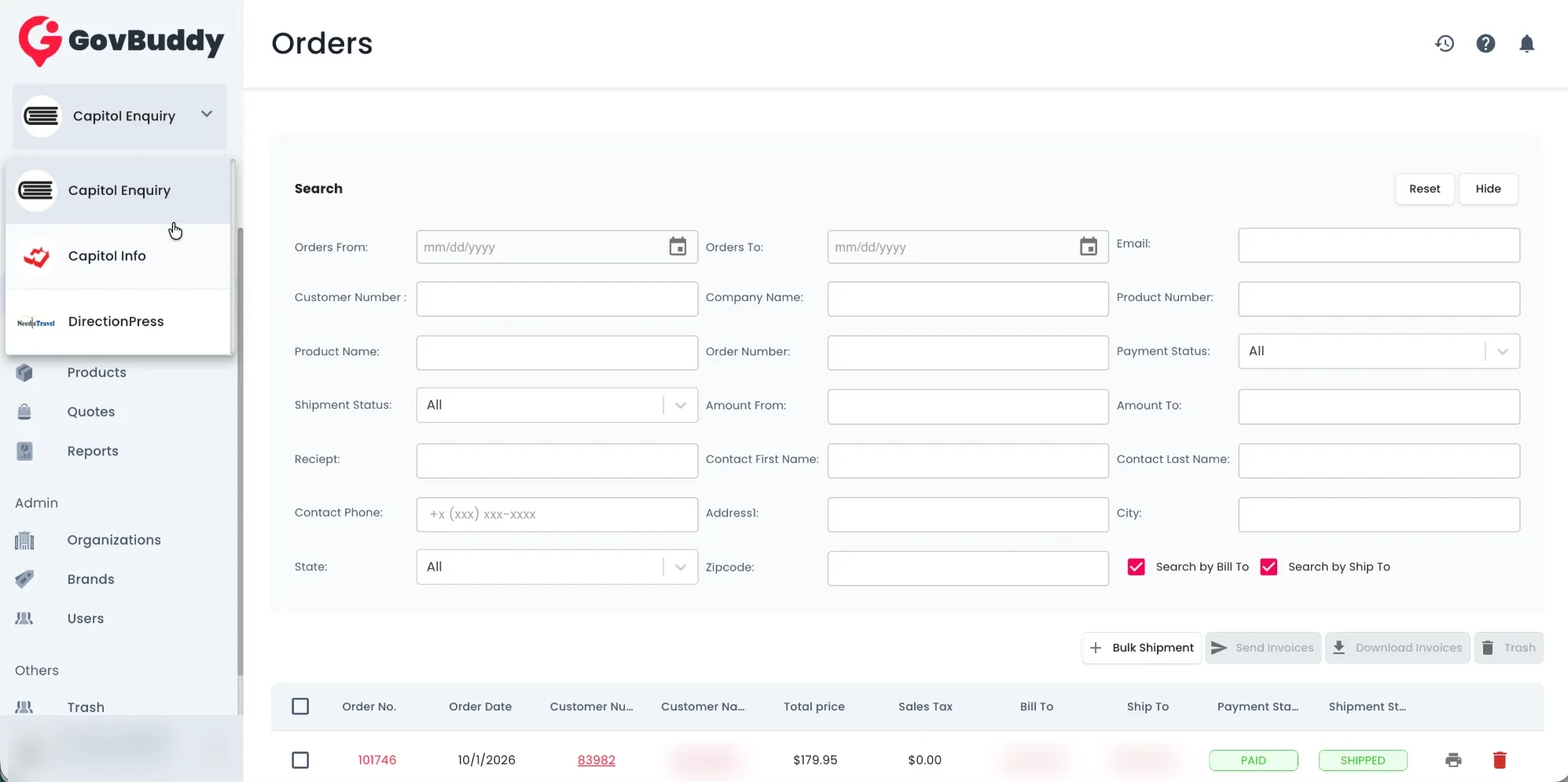
Every order from every storefront lands here, newest first.
One login covers every brand, and staff switch between them from the sidebar.
The order header shows where the order came from and whether its tax has synced.
Subscriptions sit on the order, next to notes and a running breakdown of what is owed.
A full record of money in and goods out, with returns and refunds underneath.
How an order moves
Step 1
From any store, or keyed in by staff with “Take Order”.
Step 2
Merged automatically with the existing customer record and history.
Step 3
TaxJar rates applied and synced.
Step 4
Card, invoice, check or eCheck, including partial payments.
Step 5
Shipped, or licenses issued for digital products.
Step 6
Posted to QuickBooks without re-keying.
What we built
The cards below use sample figures to show how each feature works; they are not the client’s data.
Card, invoice, check, eCheck and offline payments, with partial payments, refunds and returns tracked on the order.
TaxJar calculates sales tax on every order. Completed sales post to QuickBooks, so the accounts team no longer re-types them.
The portal also runs the client’s subscriptions: plans, license counts, owners and expiry dates, with renewals tied back to the customer rather than to whoever made the sale.
| Plan | Type | Licenses | Expires | Status |
|---|---|---|---|---|
| Directory Pro (Annual) | Digital | 5 | Sep 2027 | ACTIVE |
| Print Edition (standing order) | Physical | 1 | Jan 2027 | ACTIVE |
| Individual Plan | Digital | 1 | Nov 2026 | RENEWS SOON |
Customer-facing notes print on invoices. Internal notes stay visible to the team only.
What each customer bought and when they last ordered, across every brand.
Duplicates merged automatically or by hand.
Who changed what, and when, including returns and refunds.
What changed
On a free call we’ll go through your channels, payments and accounting with you and sketch what one portal could look like. If it makes sense, you can start with a one-week trial on real work.